What Makes People Trust a Website They've Never Heard Of?
A practical trust checklist for new business websites: clear pricing, real contact details, honest reviews, privacy, product clarity, and working checkout.
On this page
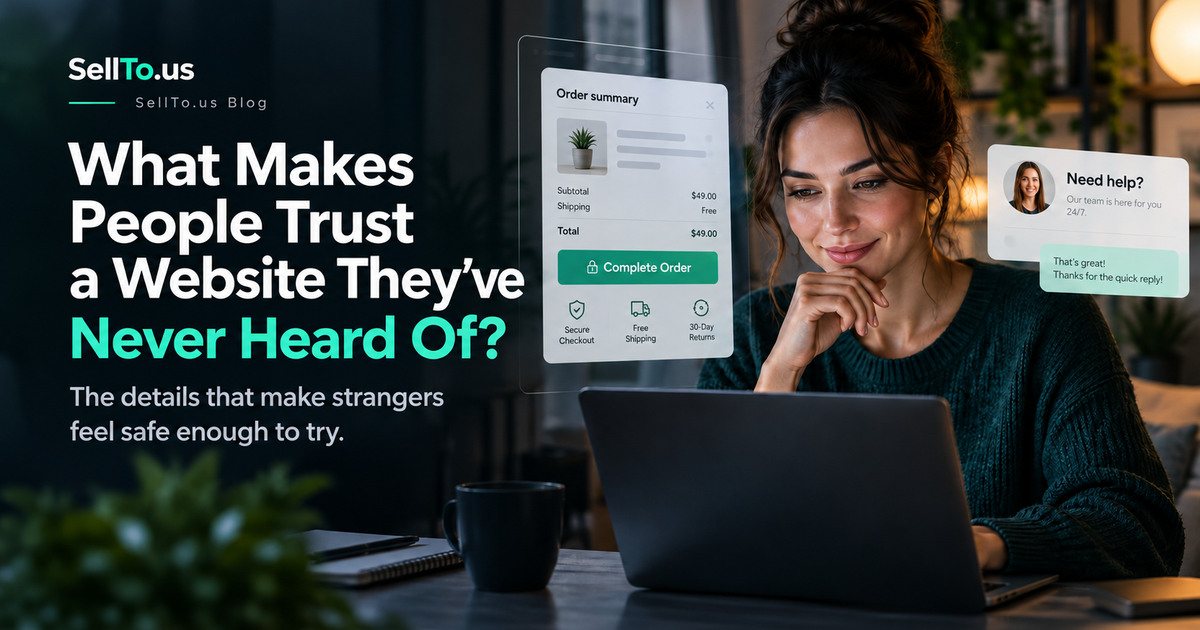
Picture yourself shopping for something important from a company you’ve never heard of. The website looks great. The photos are polished. The headline says the product is revolutionary.
Then you scroll down and can’t find who runs the business, how to contact anyone, what happens if the order goes wrong, or even exactly what you’ll be charged.
You probably don’t feel ready to buy.
People don’t evaluate trust with a neat checklist in their heads. They collect small clues while trying to answer a very human question: If something goes wrong, is there a real business here that will deal with it?
That matters for physical stores, software subscriptions, local services, and new startup products alike.
Clarity usually beats impressive language
A new brand doesn’t need to look huge. It needs to be understandable.
A visitor should be able to work out, quickly:
- What the business actually offers.
- Who it’s intended for.
- What happens after clicking the main button.
- What it costs, or when pricing becomes clear.
- What to expect if they have a problem.
“Revolutionizing the future of customer intelligence” says very little. “Explore possible objections to your business idea with AI-simulated audiences” gives a visitor something concrete to evaluate.
If your offer is still evolving, you can be transparent about that too. Early customers often understand that a new service is new. They shouldn’t have to guess what you’re asking them to try.
Make the company easy to find
A real contact address matters more than another abstract background animation.
For many businesses, basic trust information includes an accessible contact page, a monitored support email, legal business details where appropriate, and clear help documentation.
You don’t need to publish your home address or personal phone number. You do need a reasonable way for customers to reach the business and understand who is responsible for the service.
A business email at your own domain generally fits the brand better than an unrelated disposable-looking account. More importantly, somebody must actually answer it.
Explain money before asking for it
Few things make a new service feel less trustworthy than a surprise at checkout.
For a subscription, explain the price, billing frequency, what is included, and how cancellation works. For a one-time purchase, show what the customer receives and any important restrictions.
If the customer is starting a free trial, explain whether a card is required and whether payment starts automatically later. Don’t hide these details in faint text below a large button.
You can design the pricing area beautifully, but if someone needs to open three FAQ entries to understand the basics, simplify the explanation.
Use real proof, or say you don’t have it yet
Customer reviews, testimonials, and case studies can help people make decisions, but only when they’re genuine and accurately presented.
Don’t invent reviews to make a new business look established. Don’t use AI-generated profile portraits with quotations that imply real customers have endorsed you. Don’t turn an illustrative sample report into a claim about actual customer results.
The U.S. Federal Trade Commission has guidance on consumer reviews and testimonials, including rules against fake or misleading endorsements.
If you don’t have testimonials yet, show something else honest: a genuine walkthrough, an example of how the tool works, a transparent methodology, or an actual product demonstration.
A clear explanation of limitations can build more confidence than a dramatic unverified statistic.
Make policies understandable
Visitors shouldn’t need to be lawyers to understand the basics of your privacy, return, and cancellation policies.
If you’re collecting business ideas, customer research, or company information, explain how that data is used and which external services process it. If you sell physical goods, explain shipping and returns. If you provide a service, explain the scope and support expectations.
Policies should reflect how your business actually works. Copying a generic privacy template that contradicts your implementation is worse than having a concise, accurate explanation.
Fix the small things that create doubt
Try opening your website like a stranger would. On a phone, check:
- Do all navigation links work?
- Does the form clearly show errors?
- Is the page readable without zooming?
- Does the button lead where it promises?
- Are examples labeled as examples?
- Does a failed payment or failed form submission get a clear explanation?
- Can you find support without hunting through the footer?
These don’t sound glamorous. But each one reduces the number of moments when a visitor thinks, “Something feels off.”
Watch someone attempt a real task
Find a person who doesn’t know your site. Ask them to work out what the business does, locate the price, and find how to contact support. Don’t guide them or explain the page as they go.
If they hesitate, note where. If they misunderstand a claim, don’t argue that the copy was technically correct. Your communication hasn’t worked for that person.
Repeat with a few people. This isn’t a statistical survey. It’s a fast way to uncover practical friction you may no longer notice.
A 20-minute trust audit
Set a timer and open your website on your phone.
Minutes 1–5: Read only the first screen. Can a new visitor understand your offer?
Minutes 6–10: Follow the primary CTA. Does the next step match the promise?
Minutes 11–15: Find pricing, support, and policies. Can you understand them quickly?
Minutes 16–20: Look for any claims you cannot verify, old screenshots, outdated information, or misleading example data.
Write down the three biggest doubts a cautious visitor might have. Fix those before chasing smaller design details.
Frequently asked questions
Will adding trust badges make my site more credible?
Only if they’re genuine and relevant. A fabricated certification or a logo suggesting a partnership you don’t have can damage trust and create legal risks.
Do I need customer testimonials on launch day?
No. You need an honest offer, transparent information, and a working product or service. Genuine customer feedback can come later.
How do I know why visitors don’t trust my website?
Watch people complete tasks and ask open-ended questions about uncertainty. Analytics can show where visitors leave, but it usually can’t tell you their exact reasons by itself.
The bottom line
You can’t force trust with a gradient or a perfectly centered headline. You earn it by making promises that are easy to understand, keeping them, and giving people a clear path when they need help.
Before spending money to bring more people to your site, use the free Objection Finder to brainstorm possible concerns and then verify the important ones with actual customers.
Written by the SellTo.us Team. Examples in this article are hypothetical. SellTo.us results come from AI-simulated participants, not real people, and don’t predict sales or guarantee success.
Related articles
How to Write a Landing Page That Tests Your Idea in 2027
A test page isn't a brochure. It's a question you put to strangers, and the wording decides whether their answer means anything.
How to Find Customer Objections Before Launching a Business
Every new offer meets hesitation. Here is how to find the reasons people might say no before launch day, check which ones are real and fix them in your offer and message.
How to Validate Marketing Messages Before Spending on Ads
Before you pay to show a message to thousands of strangers, make sure it is clear, aimed at the right people and built around a strong offer. Here is a step-by-step process.